You are here: Annexes > List of KAS Literature > Installing KAS > Configuring INtime

Configuring INtime

To finalize the INtime software installation, some fine tuning still has to be performed as follows:

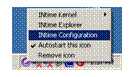
  1. Right-click on the INtime icon and select the INtime Configuration command in the contextual menu

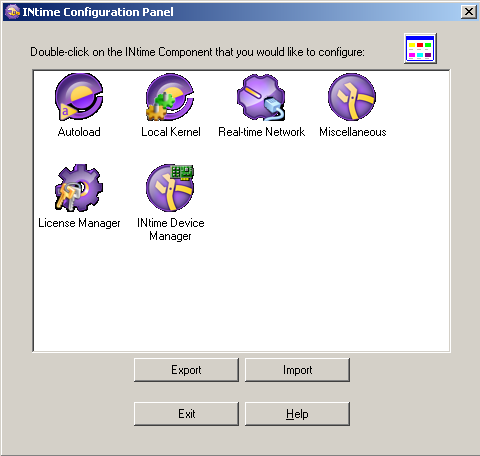
  2. Double-click the Miscellaneous icon

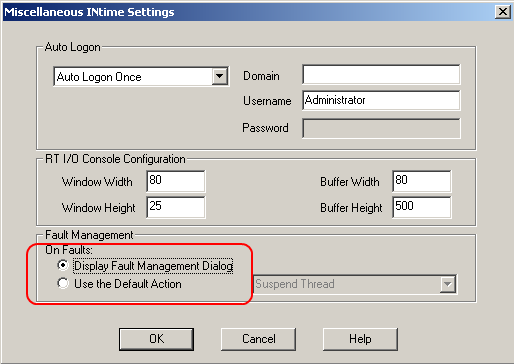
  3. Select the Display Fault Management Dialog option

  4. Click OK
  5. Restart your AKC (PAC"Programmable Automation Controller" PAC is a compact controller that combines the features and capabilities of a PC-based control system with that of a typical programmable logic controller (PLC). A PAC thus provides not only the reliability of a PLC, but also the task flexibility and computing power of a PC. Additionally, because they function and communicate over popular network interface protocols, PACs are able to transfer data from the machines they control to other machines and components in a networked control system) for the changes to become effective

After these changes, INtime is now successfully configured to run on your AKC (PAC) .


Stay Connected with Kollmorgen

Copyright © 2015 Kollmorgen™
